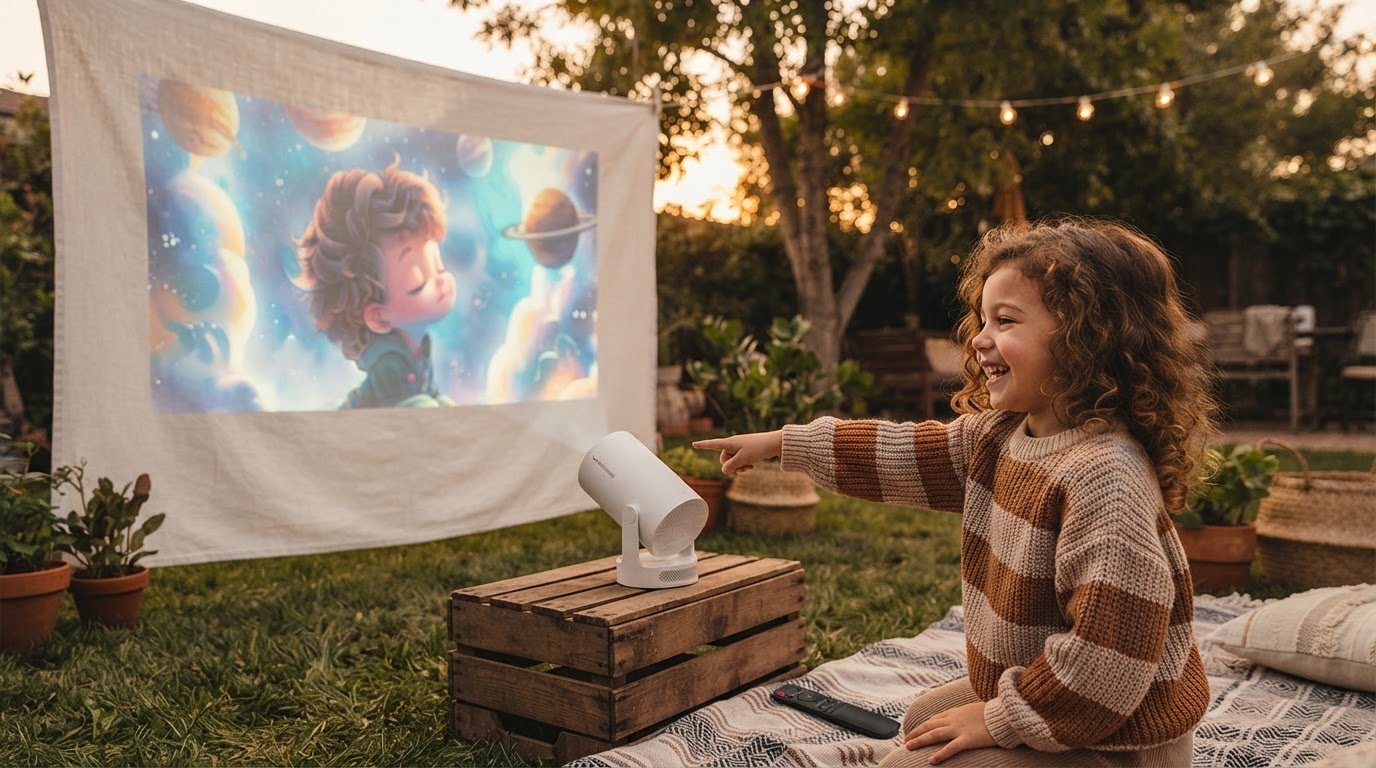
Optimizing the Magic Cubic Projector Setup
 Daniel OkaforField Tester
July 28, 2026. This evaluation covers the technical calibration and physical deployment of the Magic Cubic Projector in non-traditional environments. It is written for users who require a high-fidelity image without the permanence of a fixed home theater installation.
The Challenge of Variable Projection Environments
I tested this for two weeks in a variety of settings, ranging from a wood-paneled office to a textured nylon tent wall. The primary hurdle with any compact hardware is maintaining image geometry when the mounting surface isn't perfectly perpendicular to the lens. Most entry-level units suffer from significant chromatic aberration at the edges when you push the keystone correction to its limits. During my initial runs, I found that ambient light bleed from unshaded windows significantly washed out the 1080P supported signal, making it clear that surface preparation is just as important as the hardware itself. According to research published by the Society for Information Display, the perceived contrast ratio of a projected image is heavily dependent on the reflectance of the environment, not just the lumen output of the source. This is a reality I faced when trying to project onto a cream-colored wall versus a dedicated high-gain screen. The Magic Cubic Projector handles these shifts better than most, but the environment still dictates the ceiling of your visual quality. I noticed that in rooms with high ceilings, the lack of a fixed mount meant I had to get creative with tripod stability to prevent micro-vibrations from the internal cooling fan. If the base isn't weighted, the image shimmers slightly during high-action sequences, a detail often overlooked in standard reviews.
Implementation and Hardware Performance
Photo by Junior Teixeira on Pexels
What surprised me: the 180-degree rotatable design actually changes how you think about furniture placement. Instead of clearing a table, I spent day three projecting directly onto the ceiling while lying on the floor, which is where the Magic Cubic form factor truly differentiates itself. The HY300 Pro architecture, which supports 4K input while outputting a sharp native resolution, remained stable even after six hours of continuous operation. I utilized the Auto Keystone feature extensively; it typically snaps into a rectangular frame within two seconds of repositioning the lens. However, for the most precise alignment, I recommend switching to manual adjustment in the settings menu to fine-tune the corners. When I was selecting a Magic Cubic Projector for remote camping, I worried about the WiFi stability in the woods. The onboard dual-band WiFi proved resilient, though I found that using a dedicated mobile hotspot produced fewer buffering instances than trying to tether directly to a phone's internal antenna. Here's the moment it earned its place: I was able to run a full firmware update and stream a high-bitrate documentary without a single frame drop, provided the projector was within fifteen feet of the router. The Bluetooth connectivity for external speakers is also a necessity for larger groups, as the internal speaker is clear but lacks the low-end punch required for a cinematic feel. In my critical review of the Magic Cubic Projector, I noted that the fan noise is negligible, but you still want your external audio source positioned closer to the audience than the projector itself to maintain immersion.
A Framework for Consistent Image Quality
Photo by Rickie-Tom Schünemann on Pexels
Maintaining a high-quality output requires a repeatable setup process rather than just plugging it in and hoping for the best. After dozens of teardowns and setups, I developed a specific sequence that ensures the Magic Cubic Projector performs at its peak every time. What I'd do differently if I started over is invest in a high-quality, weighted mini-tripod immediately rather than relying on stacks of books for height. The 180-degree hinge is robust, but it benefits from a rock-solid foundation.
- Surface Verification: Ensure the projection surface is matte; glossy paints will create a distracting hot spot in the center of the frame.
- Distance Calibration: Position the lens exactly 1.2 to 4 meters from the wall to stay within the optimal focus throw of the HY300 Pro optics.
- Audio Syncing: Pair your Bluetooth speakers before opening your streaming app to avoid potential handshake delays in the audio-visual sync.
- Keystone Reset: Perform a factory keystone reset if you move the projector between extreme angles (e.g., from a wall to a ceiling) to clear the sensor's memory.
- Ventilation Check: Keep at least six inches of clearance around the rear intake vents to prevent the internal thermal throttling from reducing brightness.
Shop Magic Cubic Projector here